Ludea · 2D game engine + Claude Code agent

You don't code a game.
You describe it.

A generic mobile game engine, and an agent that does all the technical work: you start a session, answer a few questions, play, and say what you think. The game grows with every piece of feedback — and it's online, on your phone, within minutes.

4games published
1shared engine
16agent skills
0lines of code to write
How it works

A game = the engine + a sheet + drawings

The engine already knows how to do everything: move a character, look after creatures, ride a horse, drive, race, run a shop, save the game… Each game is just a description sheet saying which of these systems to switch on, with which texts and which drawings.

The engine

Every game system, generic. It holds no game content and it is identical in every game. engine.js

+

The game sheet

The world, the characters, the creatures, their needs, the actions, the texts, the goals. game.config.js

+

The drawings

All the artwork is generated as vector art, specific to the game's world, crisp on phones. tools/art/

=

A complete game

Published to the web automatically, installable on the phone's home screen like a real app.

// From the Nebula Nursery sheet:
// one creature and two actions, described, not coded.
creature: {
  label: "critters", sheet: "critter",
  needs: [
    { id: "fuel", icon: "battery", start: 70 },
    { id: "joy",  icon: "joy",     start: 80 },
  ],
  actions: [
    { id: "feed", label: "Feed",
      effects: { fuel: 35, joy: 8 },
      anim: { motion: "nod", particle: "spark" } },
    { id: "play", label: "Play",
      effects: { joy: 22, fuel: -6 },
      anim: { motion: "hop", particle: "star" } },
  ],
  ride: { … },  // add it → you can ride it
}
  • Everything switches on or off. No shop? Don't write one. Want riding? Add ride. Systems you leave out simply disappear.
  • Progress benefits every game. When a game needs a new capability, it is added to the engine in a generic way, then copied into every game.
  • Saved games are never lost. Saving is automatic and stays compatible as the game evolves — even through a complete rebuild.
  • 100% static. No server, no build step: the game works offline and is published for free on GitHub Pages.
Getting started

From template to live game, by talking

The engine is a GitHub template repository. Each game gets its own repository, and the Claude Code agent writes, draws, tests and publishes. You just talk about your game.

Start from the template

On GitHub, “Use this template” creates a new repository that already contains the engine and a small starter game.

One setting to do yourself (the agent can't): in the new repository, Settings → Pages → Source: “GitHub Actions”. Without it, the game won't go online.

Use this template

Start an agent

Open the repository in Claude Code (on the main branch) and type /new-game.

/new-game

Answer a few questions

The agent asks a few questions: the theme, the players' age, the art style, the language, what you do in the game. It writes the sheet, draws, tests and publishes a first version that is deliberately small.

Play and give feedback

Play on your phone, then say what you want, in your own words. Every piece of feedback becomes a new version, published and checked.

I'd like to be able to ride the horses

Creator mode

Add a shop where you can buy decorations
It's live: the Tack Shop now sells flowers, benches and water troughs, to place anywhere you like.Tested on iPhone (Safari) on a tall and a short screen. Check the build number at the bottom of the home screen.
The horse walks through the fence
Fixed: the fence now blocks the way, but you can still jump over it on horseback.

Feedback mode (for a child or a client)

My daughter is going to give feedback
Great! I'm listening — tell me what you'd like to change in your game.
I want butterflies in the forest!
Done! There are butterflies flying in the forest now. Refresh and go and see!
No technical questions: the agent draws, tests and publishes quietly.
An idea→the agent draws and codes→automated tests→visual check→publish→play↺
The catalogue

Four games, one engine

Very different worlds, audiences and ways to play — all built with the same engine and the same skills. Each one plays in the browser and installs on the home screen.

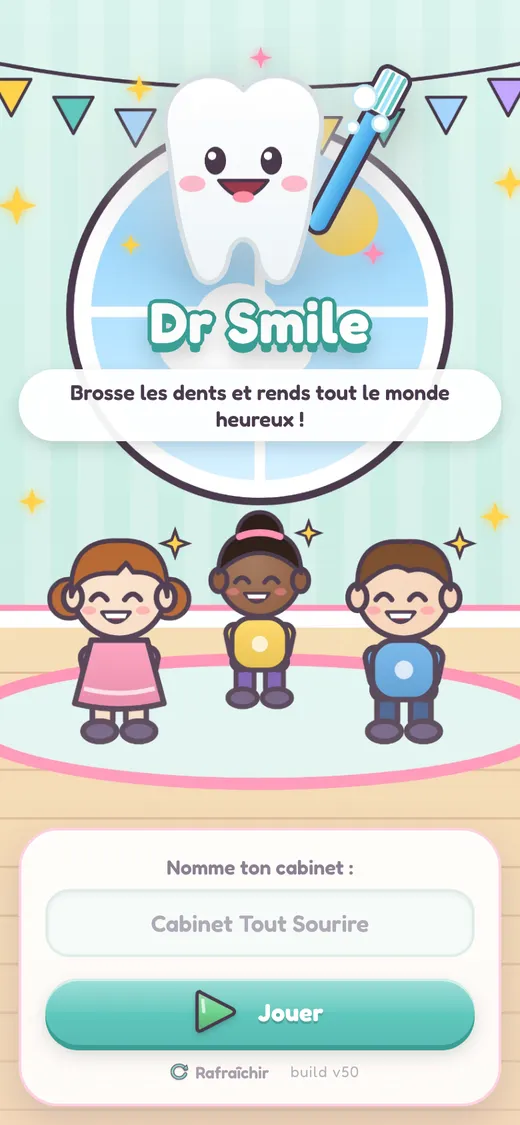
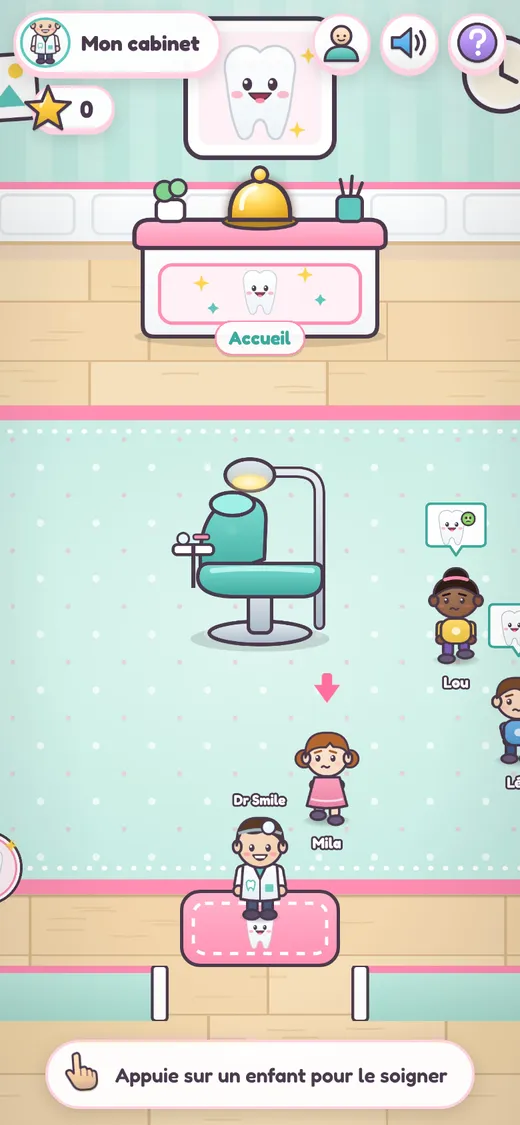
Dr Smile home screen
The dental office
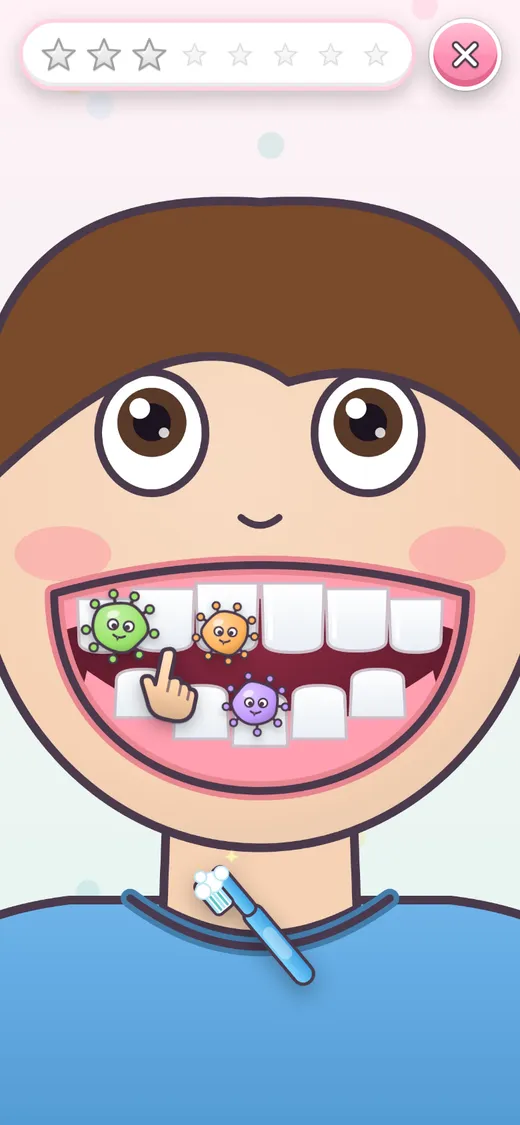
Close-up: brushing teeth
Ages 6–7EnglishFrançaisNo reading needed

Dr Smile

“Brush the teeth and make everyone happy!”

A gentle dentist's office for a child who is learning to read. Tap a child, zoom into their mouth and scrub the little germs away with the brush. Then they leave with a big smile and you ring for the next one.

Scrub close-up One tap = one action Guide arrow Text-free rewards
QR codeScan to play on your phone or tablet
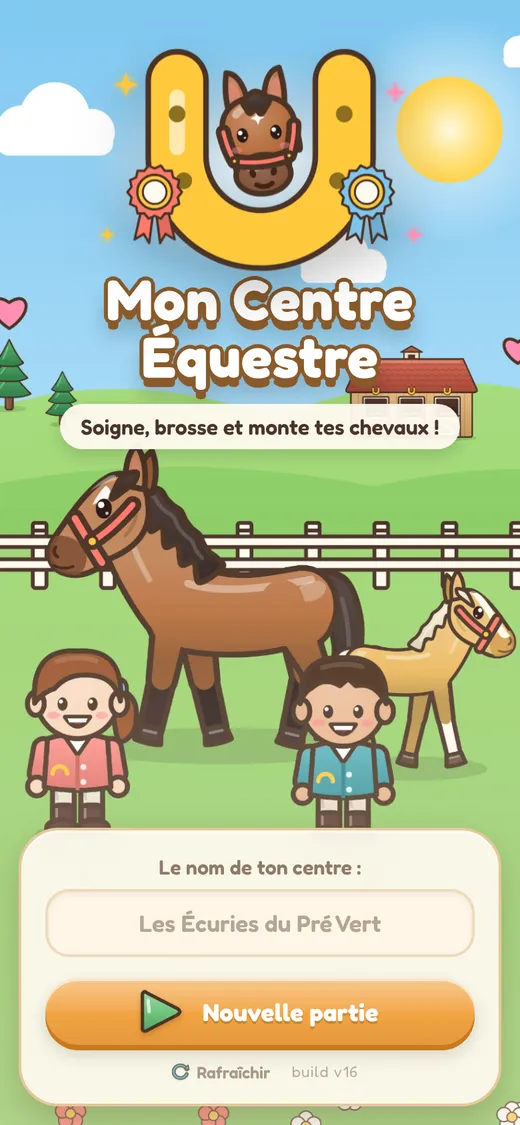
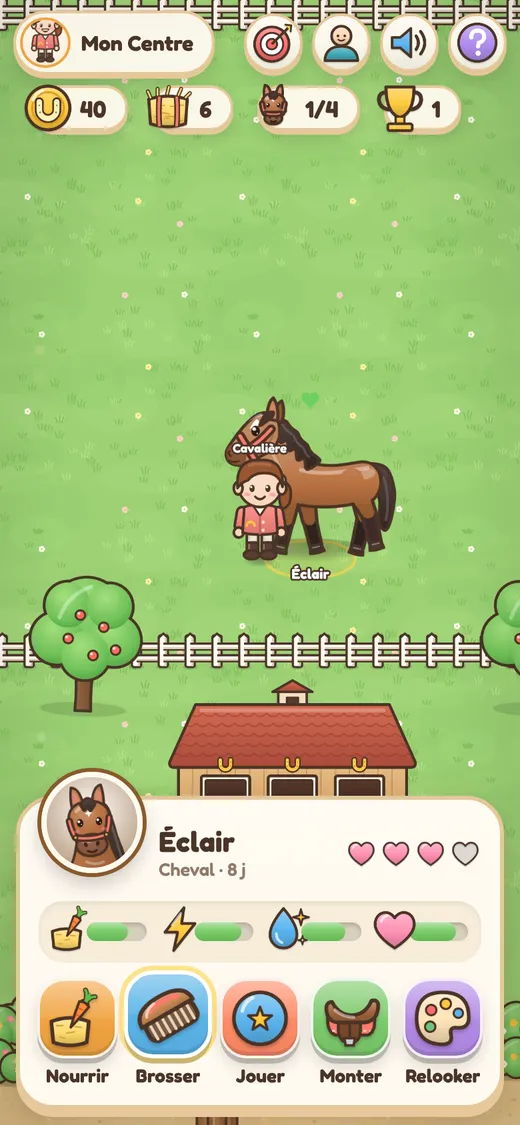
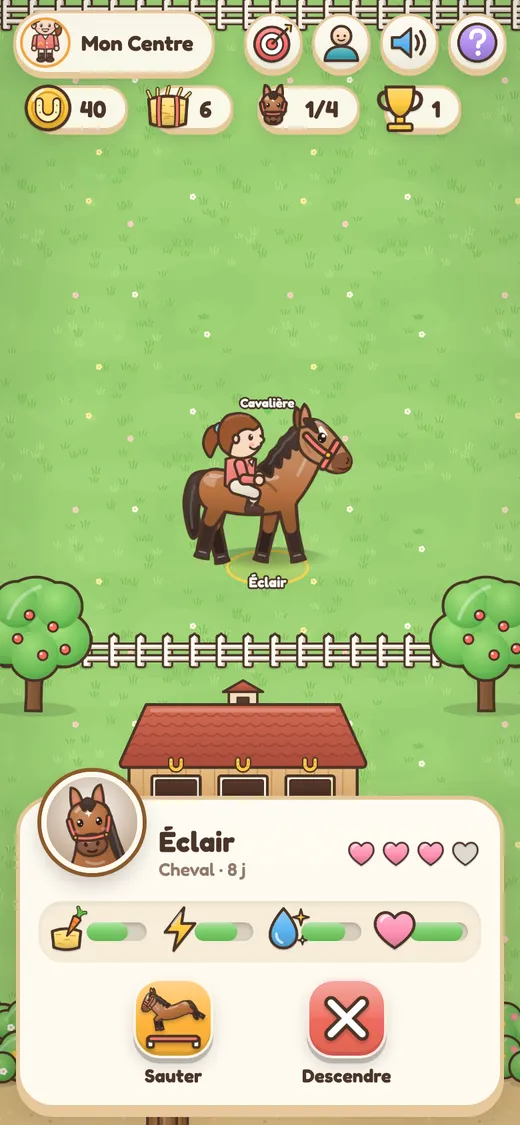
Mon Centre Équestre home screen
Caring for a horse
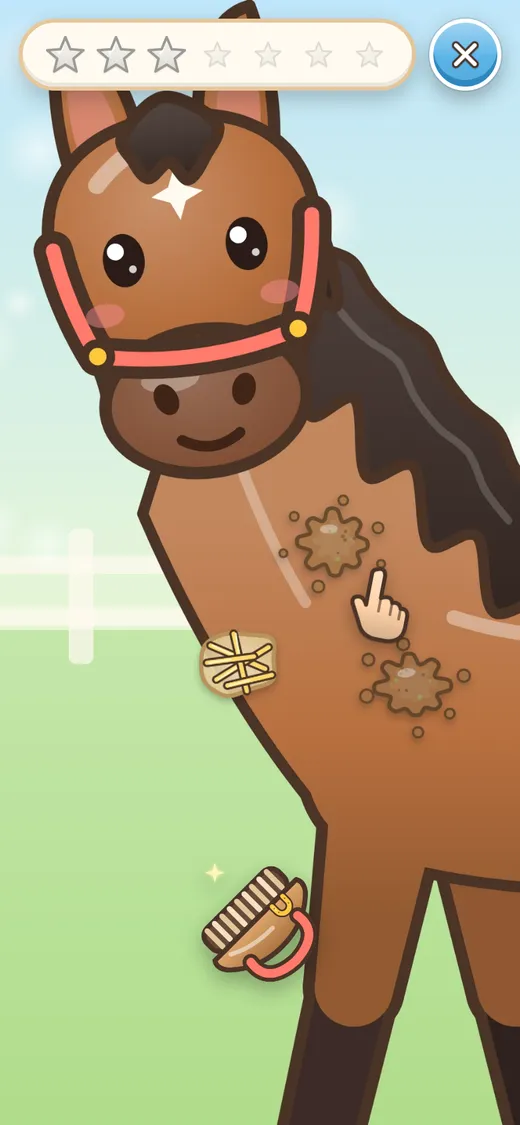
Close-up: grooming the horse
Ages 9–10EnglishFrançaisGirls and boys

Mon Centre Équestre

“Care for, groom and ride your horses!”

A riding stable to bring to life: feed, groom and play with your horses, ride them in the paddock, jump obstacles in the arena, head out on the cross-country trail in the forest. Foals are born at night, and the tack shop sells decorations.

Care and mood Riding + jumps Births Shop + decor Day / night
QR codeScan to play on your phone or tablet
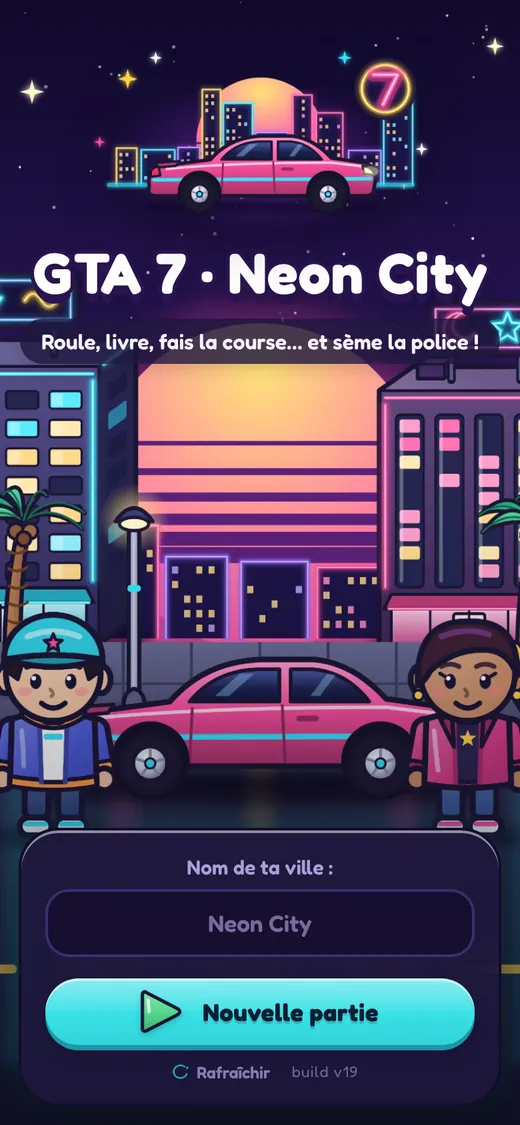
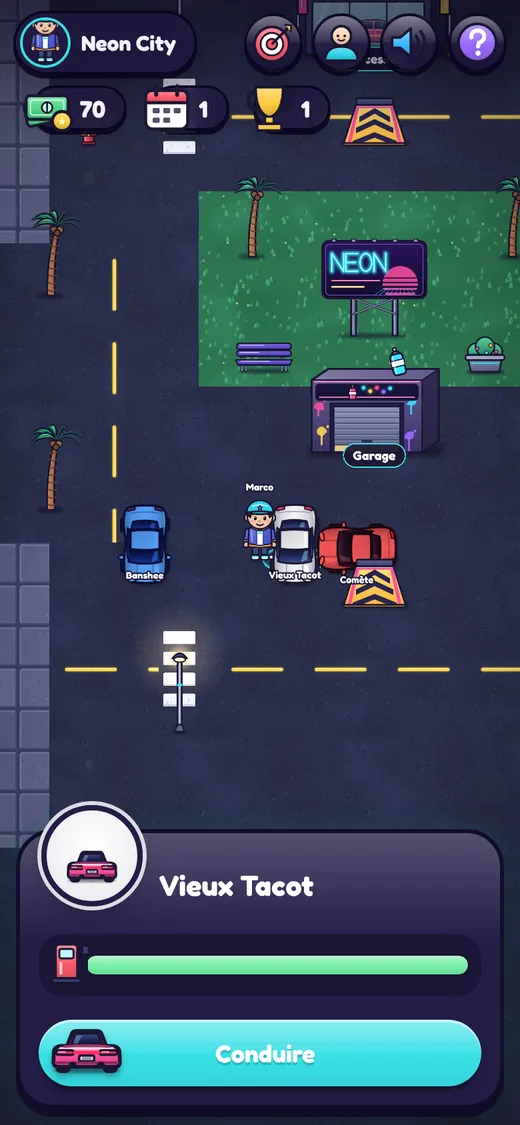
GTA 7 Neon City home screen
Taking a car in the city
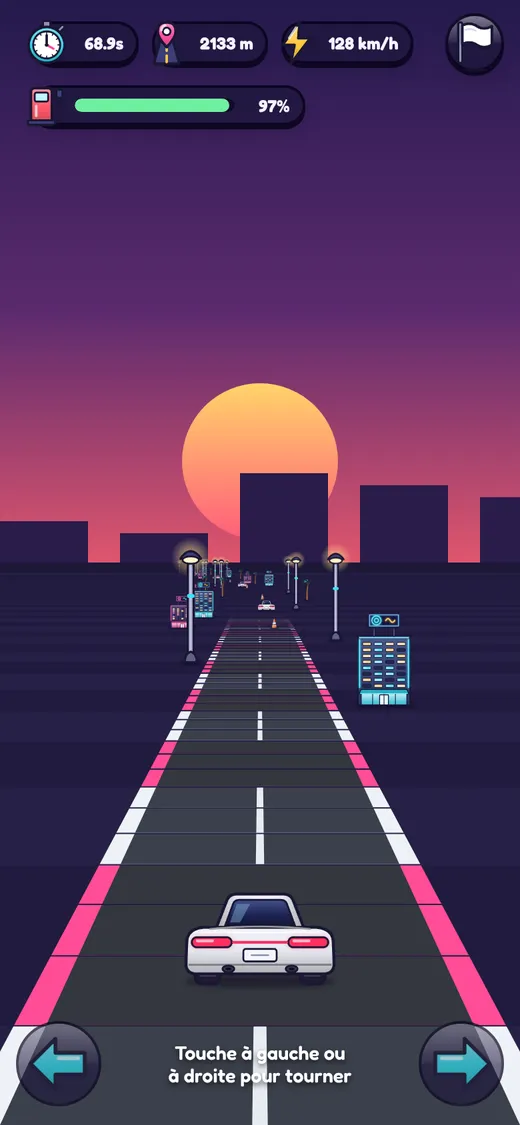
Pseudo-3D race
Ages 10+EnglishFrançaisArcade

GTA 7 · Neon City

“Drive, deliver, race… and shake off the police!”

A neon city seen from above: jump into a car, chain deliveries, shake off the police, repaint your car at the garage to lie low, buy a faster one at the dealership and enter a race seen from behind. No weapons, no violence.

Deliveries Chase Pseudo-3D race Cars to buy Garage
QR codeScan to play on your phone or tablet
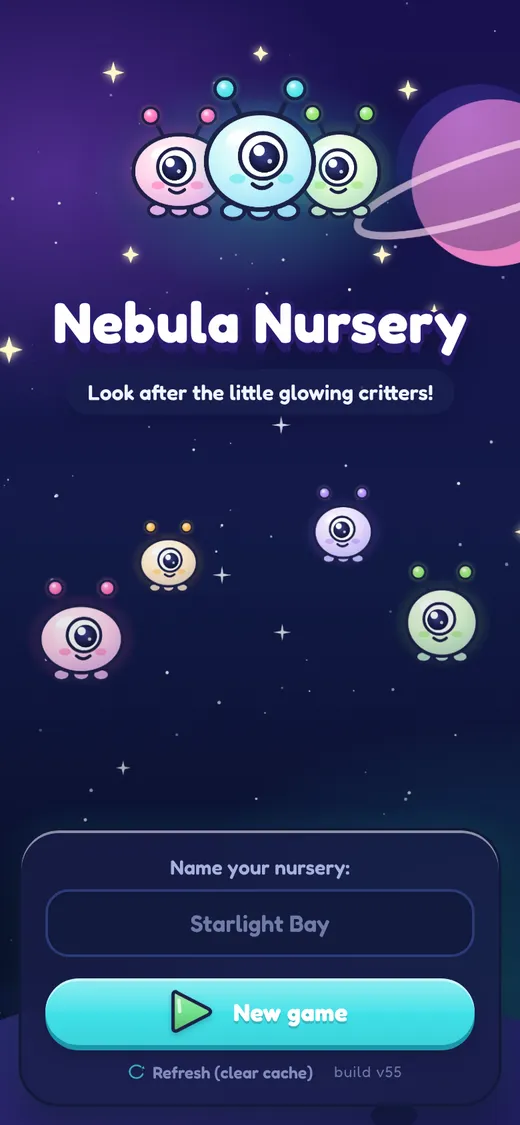
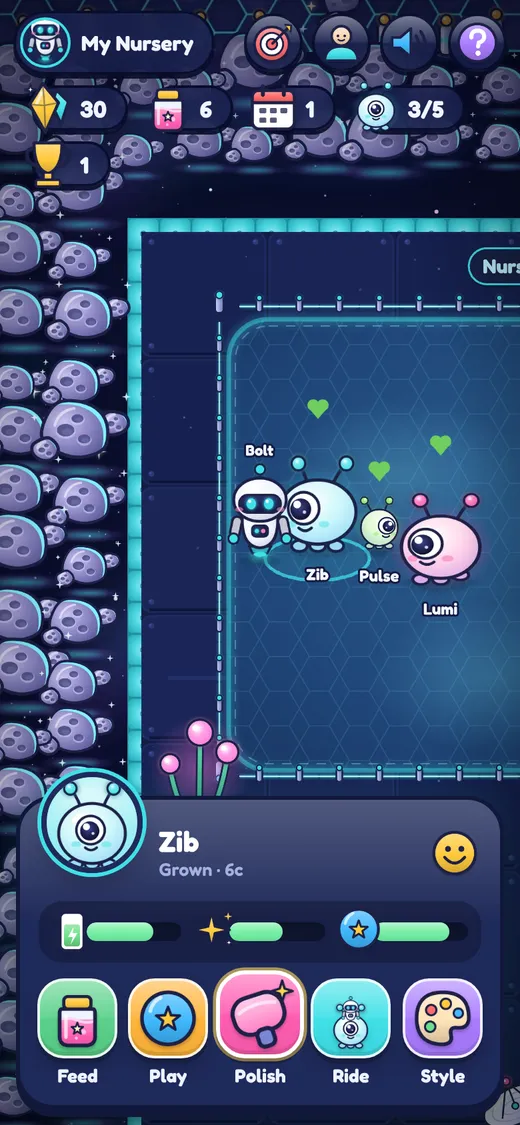
Nebula Nursery home screen
Looking after a critter
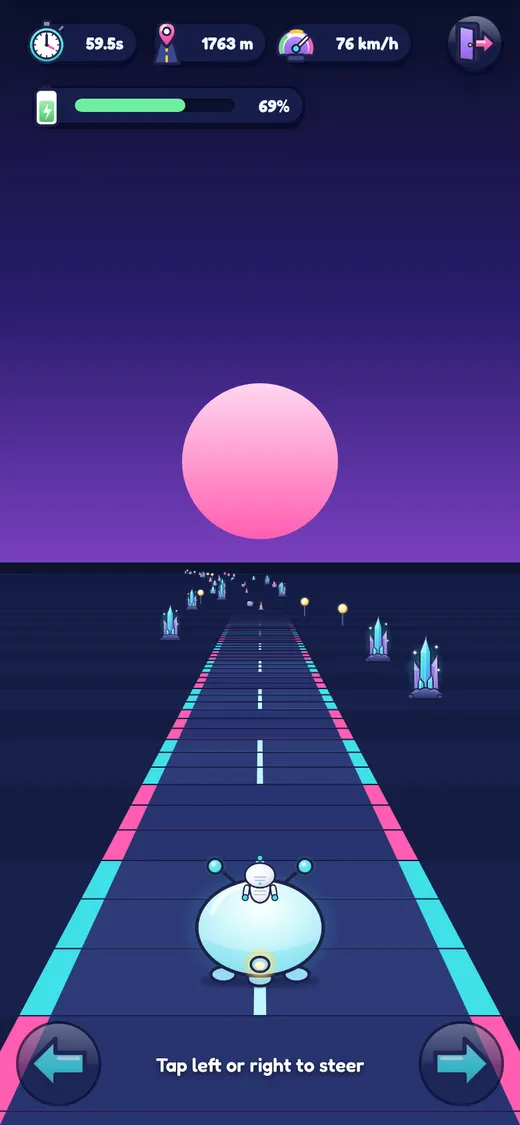
Racing on the Star Ring
The engine's showcaseEnglishFrançaisAll ages

Nebula Nursery

“Look after the little glowing critters!”

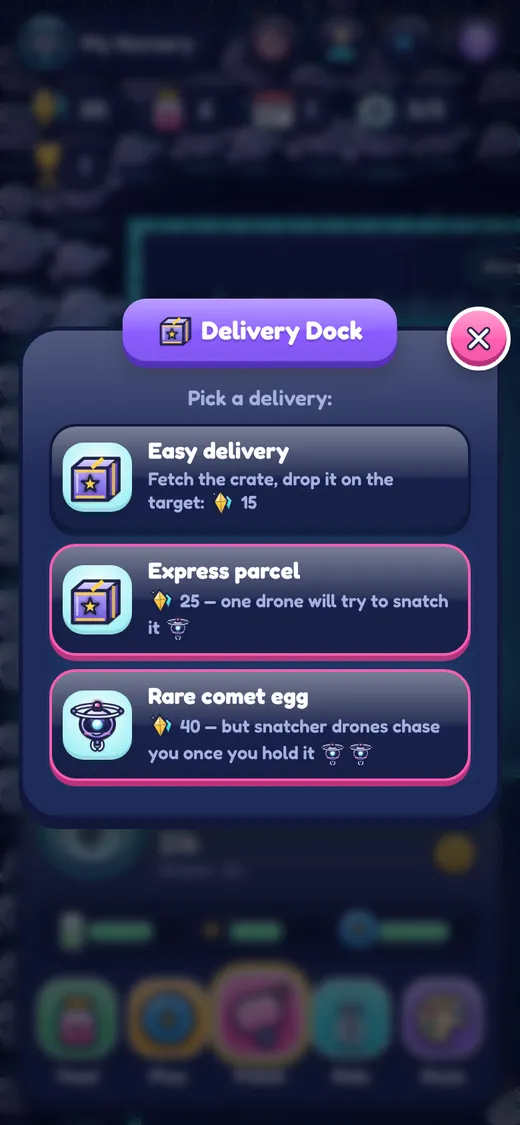
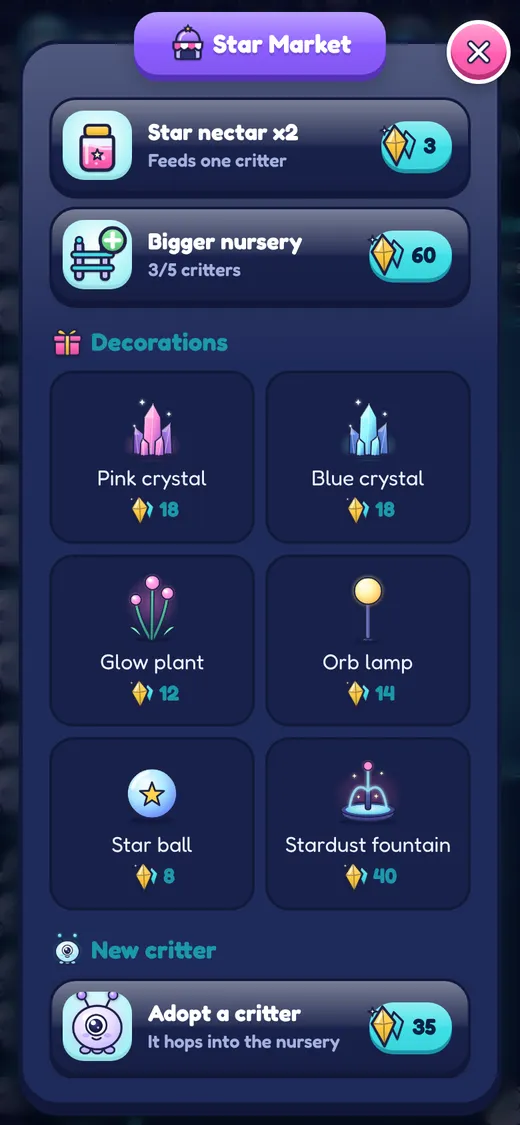
The engine's showcase game: a keeper robot looks after little glowing critters on a space station. It switches on (nearly) every engine system at once — the living example of each feature, and the place to see how each one is wired.

Care + close-up Mount + jumps Arrival portal Deliveries + drones Race Shop
QR codeScan to play on your phone or tablet
Install it like an app

Even better on the home screen

Every game is a web app: no store, no download. Add it to the home screen of your phone or tablet and it opens like a real app — with its own icon, full screen.

Full screenNo address bar or browser buttons: just the game.
Its own iconOne tap from the home screen, like any app.
Opens instantlyLight and fast, even offline once loaded.
Saved on the devicePick up where you left off, every time.

iPhone and iPad

  1. Open the game in Safari (or Chrome, Edge…)
  2. Tap Share
  3. Choose Add to Home Screen, then Add

Android phone or tablet

  1. Open the game in Chrome
  2. Tap the menu
  3. Choose Install app (or Add to Home screen)

Computer

  1. Open the game in Chrome or Edge
  2. Click Install in the address bar
  3. Or scan a game's QR code to play on your phone

Phone or tablet, portrait or landscape

The layout adapts to the screen: on a tablet, play upright or sideways. On a phone, the games are designed to be held upright.

Tip: install before you play

On iPhone and iPad, the home-screen app keeps its own save, separate from the browser's.

Game modes

Ways to play, to mix and match

Each mode is a building block of the engine. A game takes one, two or all of them — the sheet decides.

Caring

Creatures that wander about, with needs (hunger, cleanliness, joy…) that drop over time. Walk up, a card opens with round action buttons, and their mood goes back up.

In: Mon Centre Équestre, Nebula

The close-up

The camera dives onto the creature and you rub the spots away with your finger, with a before/after reveal. Almost no text: perfect for little ones.

In: Dr Smile, Mon Centre Équestre, Nebula

Ride and jump

Climb on your creature; it gets tired along the way. An arena with obstacles and a loop through the forest, with barriers to jump.

In: Mon Centre Équestre, Nebula

Missions and chases

Pick up a parcel then deliver it, guided by an arrow; risky missions trigger a chase (police, drones). Hiding at the garage clears your wanted level.

In: GTA 7, Nebula

The race

A mini-game in fake 3D, seen from behind: bends, obstacles, a timer. The vehicle you bought really changes speed and grip.

In: GTA 7, Nebula

Manage and decorate

Earn coins, buy in a shop, grow your place, adopt, then place decorations anywhere, with a live preview where they'll go.

In: Mon Centre Équestre, GTA 7, Nebula

Features

Everything the engine can do

Each line is an option in the sheet: switch it on when the game needs it.

World and camera

  • Top-down tiled world, ground districts
  • Smooth camera, zoom fitted to every screen
  • Crisp on phones (high resolution)
  • Soft shadows, ambient particles, vignette
  • Day and night, sleep to move on to the next day

Characters

  • Tap to go somewhere (finds its own way)
  • Keyboard, double-tap to run
  • Several characters to choose from, create screen
  • Visible or hidden riders (cars)

Creatures

  • Needs, mood, actions with effects and animations
  • Colours and breeds, rename and restyle
  • Growing up, having babies
  • Mount with fatigue, jumping obstacles
  • “I need you” bubble, leaving once cared for

Buildings and economy

  • Buildings: sleep, shop, menu, arrival portal
  • Coins, resources, expansion
  • Decorations to buy and place
  • Models to buy, with stats
  • Paid restyle (garage, salon)

Vehicles and city

  • Top-down vehicles facing 4 directions
  • Two-step missions, guide arrow
  • Wanted level and pursuers
  • Pseudo-3D race with timer

Progression

  • Goals and levels
  • Unlocks: the scenery grows as you progress
  • Guide arrow for little ones
  • Confetti, flying rewards, zooms

Sound

  • Sound effects and music generated live
  • No audio files to provide
  • Mute button, iPhone-friendly

Saving

  • Automatic save on the device
  • Old saves always readable
  • Import a save from an older version of the game

Mobile and app

  • Installable on the home screen (iPhone, Android)
  • Full screen, notches and bars handled
  • Works offline, no server
  • Illustrated icons everywhere, no emoji
Under the agent's hood

16 skills: the agent's know-how

Skills are recipes the Claude Code agent follows for each kind of request. You almost never call them yourself: describe what you want and the agent chains the right ones.

Orchestrators

new-game
Creates a new game from a few questions.
feedback-session
“Feedback” mode with no technical questions, for a child or a client.

Content

add-character
A new playable character.
add-creature-variant
A new colour or breed.
add-decor-item
A decoration to buy and place.
add-collision · place-scatter
Obstacles, jumps, forest and paths.
asset-search · asset-add
Find images suited to the age and the licence.
state-migration
Evolve the save without breaking games in progress.

Quality

test-debug
Reproduce, fix and prove every bug.
visual-review
Inspect the art and the screens at full size.
map-verify
Check each element is well placed and the way is clear.
ios-pwa-check
Keep a perfect layout on iPhone.

Publishing and memory

release-deploy
Put it online and check the release.
capitalize-learnings
After every change: fold what was learned into the engine, the skills and the docs.
sync-engine
Spread an engine improvement to the template and every game.
Standards

Studio-grade, checked on every release

The goal isn't a prototype: every release goes through a battery of automated checks before it is published.

Tested as on a real iPhone

A robot plays the game in Safari's engine, on a tall and a short screen, in the browser tab as well as the installed app.

Art inspected at full size

Anatomy, outlines, nothing clipped, never blurry: images are rendered at twice their display size.

Animations judged frame by frame

Entrances and transitions are filmed and reviewed as a filmstrip, not from a single screenshot.

A defect found = one more check

When a problem slips through, the agent fixes the game and strengthens its own checking tools too.